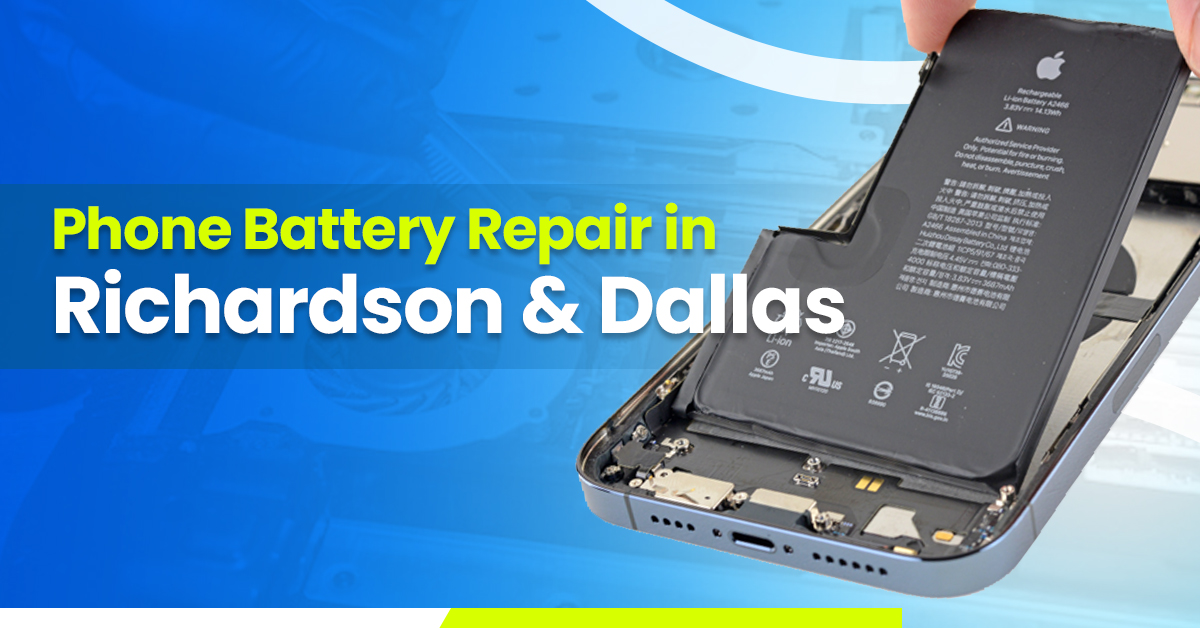
In today’s fast-paced world, our smartphones are more than just communication tools—they’re essential companions that help us work, connect, and manage daily life. But even the best devices eventually face issues, and one of the most common problems is phone battery failure. Whether your phone experiences fast battery drain, overheating, or simply won’t hold a charge, knowing when and how to address these issues is crucial. At Tech Doctor, we specialize in phone battery repair, helping residents and businesses across Richardson and the Dallas area restore their devices quickly, safely, and affordably.
As a top-rated provider for software and network solutions, hardware repair, and affordable phone plans across the Dallas area, Tech Doctor has built a reputation for delivering reliable services. Whether you’ve cracked your phone screen, spilled coffee on your laptop, or need a battery replacement, our experienced technicians are here to get you back up and running—without delays, inflated costs, or confusing tech jargon.
Signs Your Phone Needs Battery Repair
Recognizing the signs that your device requires professional attention can prevent further damage and extend your phone’s lifespan. Here are the most common indicators:
1. Rapid Battery Drain
If your phone’s battery seems to deplete faster than usual, even when idle, this is a clear sign of a battery discharge problem. Many factors can contribute to this, including aging batteries, background apps consuming excessive power, or faulty hardware. At Tech Doctor, we diagnose the root cause and provide solutions that restore your mobile battery life.
2. Phone Overheating
Excessive heat is a major warning sign that your battery or internal components are under stress. Phones that overheat can experience battery swelling, performance slowdowns, or even safety risks. Our team can address phone heating issues efficiently, ensuring your device remains safe to use.
3. Phone Not Charging Properly
If your phone intermittently stops charging or charges extremely slowly, it may indicate charging port problems or battery connectivity issues. A professional mobile battery repair service can replace damaged components or recalibrate your battery to restore normal charging performance.
4. Unexpected Shutdowns
Does your phone randomly turn off despite showing a remaining battery percentage? This can indicate battery calibration issues or deeper power management problems. Tech Doctor’s certified technicians provide precise diagnostics to identify and fix these issues.
5. Battery Swelling or Physical Damage
A swollen or leaking battery is not only inconvenient—it’s dangerous. Such issues require immediate battery replacement by a professional to avoid potential hazards like leaks or device damage. At Tech Doctor, safety is a top priority, and we use only high-quality, OEM-approved batteries.
Common Causes of Phone Battery Problems
Understanding why batteries fail helps prevent future issues. Here are the main causes:
1. Aging Battery
Most smartphones use lithium-ion batteries, which degrade over time. After a few years, your battery’s ability to hold a charge diminishes, leading to frequent battery replacement needs. Aging batteries can also affect phone performance, slowing down apps and causing unexpected shutdowns.
2. Software and App Issues
Applications running in the background can drain your battery quickly. High-demand apps, outdated software, or unoptimized settings may contribute to high battery consumption. Keeping your phone updated and managing apps properly can prevent unnecessary mobile power issues.
3. Physical Damage or Exposure
Drops, water damage, or extreme heat can damage your battery or internal circuits. Water damaged phone repair often requires professional attention, as DIY fixes may worsen the problem. Tech Doctor provides mobile repair services to address both battery and hardware issues caused by physical damage.
4. Charging Habits
Using cheap chargers or overcharging can reduce battery life. Maintaining safe charging practices, such as avoiding overnight charging with non-certified chargers, helps preserve battery health. Our experts provide guidance on battery maintenance tips for long-term use.
DIY Phone Battery Repair – What You Can Try at Home
While some battery issues require professional attention, a few steps can improve your battery performance:
1. Battery Calibration
Recalibrating your battery can sometimes resolve battery percentage inaccuracies. Fully discharge your phone, then charge it to 100% without interruption. Repeat this once or twice to help the phone’s system recalibrate.
2. Software Updates and App Management
Keeping your phone updated ensures that battery saver modes and optimization features function correctly. Remove unnecessary apps running in the background to reduce mobile battery drain.
3. Power Cycle and Restart
Restarting your device helps reset temporary issues, improving battery performance and overall phone functionality. This simple step often resolves minor mobile troubleshooting problems.
4. Avoid DIY Battery Replacement for Safety
Opening a smartphone to replace a battery on your own is risky. Incorrect handling can lead to leaks, short circuits, or even fires. Professional phone battery repair services are safer and more reliable.
Professional Phone Battery Repair Services at Tech Doctor
When DIY solutions fail, it’s time to seek professional help. Here’s what you can expect from Tech Doctor’s phone battery repair services:
1. When to Seek Professional Help
If your phone continues to overheat, won’t charge properly, or shows physical battery damage, professional intervention is crucial. Our certified technicians provide authorized battery repair and use industry-standard tools for diagnostics and replacement.
2. Battery Replacement Process
Tech Doctor follows a systematic approach:
- Diagnostics to confirm the battery issue
- Safe removal of the old battery
- Installation of OEM-approved replacement battery
- Testing and calibration to ensure optimal performance
We prioritize quality battery replacement and mobile repair services to restore your device’s functionality quickly.
3. Repair vs Replacement – Which to Choose?
Sometimes, a simple repair may suffice, but in many cases, a full battery replacement is the most effective solution. Our technicians evaluate each situation carefully to offer cost-effective options for mobile maintenance.
4. Choosing the Right Repair Service
With many options available, it’s important to select a trusted provider. Tech Doctor is a top-rated electronics repair in Dallas, offering:
- Certified phone repair
- Transparent pricing
- Quick turnaround times
- Positive customer reviews
Tips to Extend Your Phone Battery Life
Preventing future battery problems is just as important as repairing existing ones. Here are some expert tips:
1. Optimize Battery Settings
Use features like screen brightness adjustment, battery saver mode, and app power management to extend mobile battery life. Regularly reviewing settings helps prevent high battery consumption.
2. Avoid Extreme Temperatures
Heat and cold can negatively affect battery performance. Keep your phone away from direct sunlight, heaters, or freezing environments to maintain battery health.
3. Use Certified Chargers and Cables
Avoid cheap or counterfeit chargers that may damage your battery. Using authentic accessories ensures safe and efficient charging, preventing long-term battery degradation.
4. Regular Battery Health Checkups
Use built-in tools or trusted apps to monitor battery performance. Regular checkups can detect issues early, allowing for timely intervention by professionals at Tech Doctor.
Common Myths About Phone Batteries
Understanding the truth about batteries can help you make better decisions for your device:
- Myth: Overcharging Always Ruins Battery
Modern smartphones manage power effectively, so overcharging is rarely harmful if using certified chargers. - Myth: Closing Apps Saves Battery
Background apps are often managed efficiently by the OS; force-closing can sometimes increase power consumption. - Myth: Fast Charging is Always Bad
Certified fast chargers are designed to work safely with lithium-ion batteries.
Debunking these battery myths ensures you make informed choices and maintain mobile battery health.
Why Choose Tech Doctor for Phone Battery Repair?
Tech Doctor isn’t just another repair shop. We are a trusted local service with years of experience in electronics repair, software, and network solutions across Richardson and Dallas. Our services include:
- Phone battery repair and replacement
- Cracked screen repair
- Water damaged phone repair
- Laptop and PC repair
- Affordable phone plans
Our team combines technical expertise with a customer-first approach, ensuring fast, affordable, and reliable service. Whether you are a professional managing remote work or a student relying on your smartphone for study, we provide the solutions you need to stay connected without interruptions.
Conclusion
A healthy battery is crucial for keeping your smartphone performing at its best. Recognizing the signs of phone battery failure, understanding the causes, and knowing when to seek professional phone battery repair services can save you time, money, and frustration.
At Tech Doctor, we provide fast, safe, and reliable battery repair and replacement services for residents and businesses across Richardson and Dallas. With our expertise in software and network solutions, hardware repair, and affordable phone plans, we are your go-to destination for all electronics repair needs. Don’t let a dying battery slow you down—contact Tech Doctor today and keep your devices powered and ready for anything.
FAQs About Phone Battery Repair
Q1: How long does a phone battery last?
A: Most lithium-ion batteries last 2–3 years with proper care.
Q2: Can a battery be repaired or only replaced?
A: Minor calibration issues can sometimes be fixed, but significant wear usually requires battery replacement.
Q3: How much does professional phone battery repair cost?
A: Costs vary by model and battery type. Tech Doctor offers affordable battery repair services with transparent pricing.
Q4: How do I prevent future battery problems?
A: Optimize battery settings, avoid extreme temperatures, use certified chargers, and schedule regular checkups.